
So, you've probably heard the term "Xtream Servers" floating around when people talk about streaming. It sounds a bit technical, right? Well, it's basically the engine behind a lot of IPTV services. Think of it as the system that organizes and sends all those live channels, movies, and shows directly to your screen. We're going to break down what Xtream Servers are, how they work, and what you need to know if you're thinking about using them, whether for watching or even setting up your own service. It's not as complicated as it sounds, and understanding the basics can make your streaming experience a whole lot smoother.
Understanding Xtream Servers

What Are Xtream Codes?
Xtream Codes are essentially the credentials and server information needed to access IPTV services. Think of them like a digital key. When you get Xtream Codes, you're usually given a username, a password, and a server URL. These pieces of information allow your IPTV player app or device to connect to the specific server hosting the content you want to watch. It's the backbone of how many IPTV services are delivered. Without these codes, your app wouldn't know where to find the live TV channels, movies, or series.
The Role of Xtream Servers in IPTV
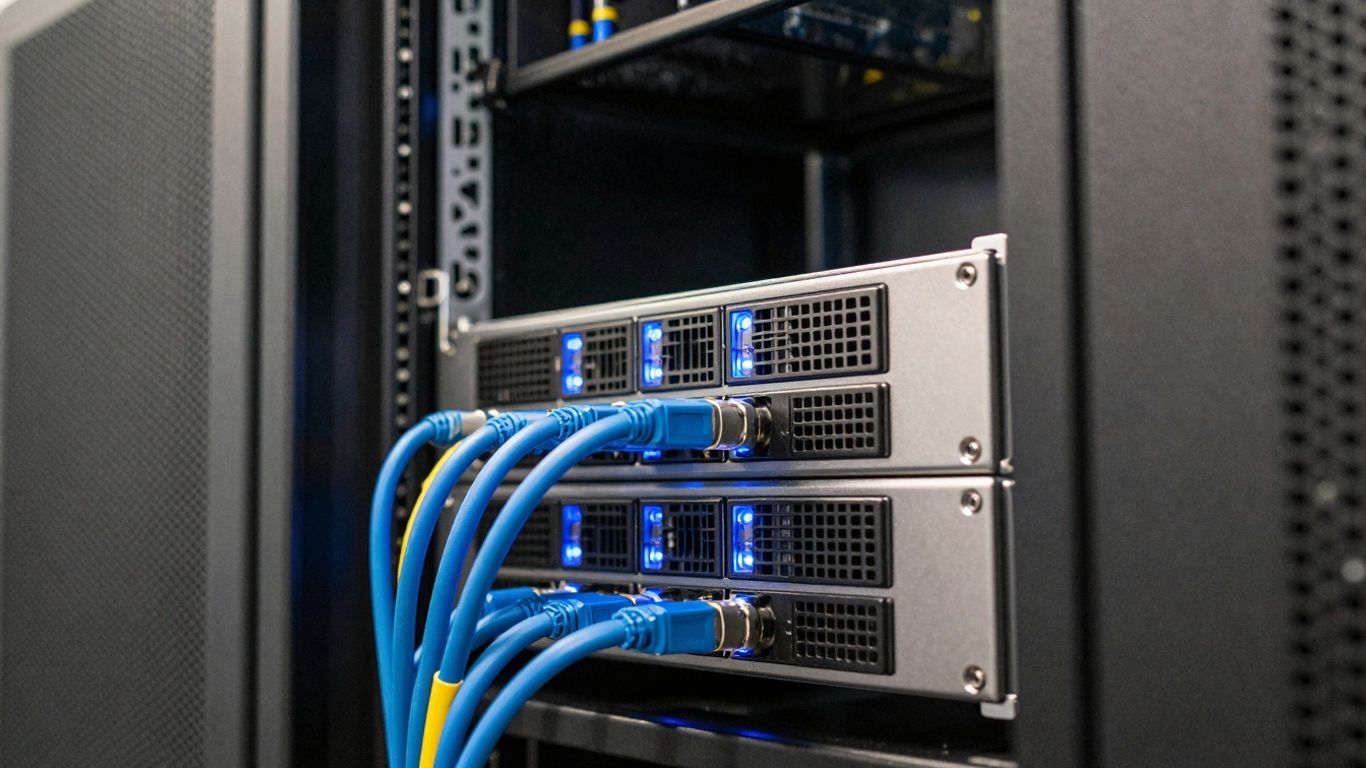
Xtream Servers are the actual machines that store and distribute the IPTV content. They are the central hub for everything. When you use your Xtream Codes, you're telling your device to connect to one of these servers. The server then sends the video streams over the internet to your device. Understanding how IPTV servers function is key here. They need to be powerful enough to handle many users at once, especially during peak times. Some setups use a main server that manages the panel and user accounts, while load balancer servers handle the actual streaming traffic. This setup helps spread the load and keeps things running smoothly for everyone.
Xtream Servers and Content Distribution
When we talk about Xtream Servers and content distribution, we're really talking about understanding media servers in action. These servers are responsible for taking video files and live feeds and making them available to users. They can store vast amounts of content, from live sports channels to entire libraries of movies and TV shows. The way this content is organized and sent out is pretty sophisticated. Servers might use different methods to send streams, like HLS (HTTP Live Streaming), which breaks video into small chunks for smoother playback. The goal is always to get the content to your screen with minimal buffering and good quality, no matter how many other people are watching at the same time. It's a complex dance of data and connections, all managed by the server.
Accessing Content with Xtream
So, you've got your Xtream server set up or you're looking to connect to one. The next step is getting your content loaded up and ready to watch. It's not super complicated, but there are a few things you need to know to get started.
Logging In to Xtream
To actually watch anything, you'll need to log in. This usually involves using what's called the Xtream IPTV API. Think of it like a key that lets you into the system. You'll need a few pieces of information for this:
Username: This is your personal login name.
Password: The secret code to get in.
Server URL (or Portal URL): This is the address of the server you're connecting to.
Even if your IPTV provider gives you something like an M3U playlist, you can often still pull out the username, password, and server URL needed for Xtream. It's all about getting those specific details.
Creating Your Xtream Profile
When you first use Xtream on a new app or device, you'll probably need to set up a profile. This is like creating your own little space on the server. Here’s a general idea of how it works:
Find the Xtream section in your IPTV player app. Sometimes there's a specific button for it.
Look for an option to 'Add Profile' or something similar and tap it.
You'll then fill in your profile name, username, and password. Pick a name that helps you remember which account it is.
Some apps let you add a passcode for extra security, which is a good idea if you're worried about others accessing your account.
Hit 'Save' when you're done, and your profile should be created.
Importing Server URLs
Once your profile is set up, you'll want to add the actual server details. This is how your app knows where to get the TV channels and movies from. The process usually looks something like this:
Go back to the main screen of your IPTV app.
Tap the '+' button or an option to add a new connection.
Choose the 'Import from Xtream Code API' or a similar option.
Enter a name for your connection (e.g., 'My IPTV Service').
Paste or type in the Server URL you got from your provider.
Fill in your username and password.
Save the details. The app will then try to connect and download your channel list. This might take a minute or two depending on how much content there is. Getting this right is key to accessing live TV.
It's important to get these details exactly right. A single typo in the server URL, username, or password can stop everything from working. Double-checking is always a good idea before you hit save.
Setting Up Xtream Servers
So, you've decided to get into the IPTV game and need to set up your own Xtream server. It's not as complicated as it might sound, but there are a few things to get your head around. Think of it like building a house; you need a solid foundation and the right tools.
Installation Process for Xtream
Getting the Xtream panel up and running usually starts after you've registered and made a purchase. You'll get login details – a username, password, and the CMS address. With these, you can log into the panel. The actual server setup involves adding your server IP and SSH password. It's a pretty straightforward process, especially if you're comfortable with basic server commands. The first load balancer server is typically included, but any extras will cost more.
Main Server vs. Load Balancer Servers
When you're setting up, you'll hear about a "main server" and "load balancer servers." The main server is where the panel itself lives – it handles the website, the database, and manages orders for the load balancers. The load balancer servers are the workhorses; they're attached to the main server and actually handle all the streaming and user traffic. So, you need one main server for the panel and then at least one load balancer to manage the streams and users. It's all about distributing the workload to keep things running smoothly.
Hardware Requirements for Streaming
What kind of computer power do you need? Well, it depends on how many people you expect to be watching at once and what kind of content you're serving. For a basic setup, you might get away with less, but if you're planning a big operation, you'll need some serious hardware. This includes robust processors and plenty of RAM to handle multiple streams without buffering. You can find providers that offer the necessary hardware if you don't want to source it yourself. It's important to have enough power to avoid issues like slow loading times or streams cutting out. This is a key part of the iptv server setup.
Setting up an Xtream server involves understanding the roles of different server types and having adequate hardware. It's about creating a stable environment for content delivery.
Here's a quick look at what you might need:
CPU: A powerful multi-core processor is best for handling many streams.
RAM: More RAM means smoother performance, especially with lots of users.
Storage: Fast SSDs are recommended for quick access to data.
Network: A high-speed internet connection is non-negotiable for streaming.
Learning how to use Xtream codes effectively is the next step after getting your server ready. It's the bridge between your server and the viewers, allowing them to access the content you're providing. This is how you'll manage user access and content distribution, making sure everything runs as it should. It's a pretty neat system once you get the hang of it, and it's central to how many IPTV services operate today. This is a core part of understanding the iptv server explained and how to use Xtream codes.
Xtream Server Management Panel
So, you've got your Xtream server set up, and now it's time to actually manage things. This is where the Xtream Server Management Panel comes in. Think of it as the control center for your entire IPTV operation. It's where you'll spend most of your time if you're running an IPTV service.
Navigating the Xtream UI
The interface might look a bit busy at first glance, with all sorts of options and menus. But honestly, after a day or two, you'll probably get the hang of it. It's designed to give you a lot of control over your streams and user accounts. You can add new channels, manage existing ones, and keep an eye on who's watching what.
Key Features of the Xtream Panel
This panel is packed with features to help you manage IPTV streams effectively. Here are some of the main things you can do:
User Management: Create, edit, and delete user accounts. You can set specific limits or permissions for each user.
Content Management: Add, organize, and manage your live TV channels and Video on Demand (VOD) library. This includes adding metadata like descriptions and cover art.
Reseller Tools: If you're planning to have others sell your service, the panel lets you create and manage resellers, setting their own packages and limits.
EPG and Logos: Easily integrate Electronic Program Guide (EPG) data and channel logos to give your users a professional viewing experience.
Server Monitoring: Keep an eye on your server's performance and stream status.
Transcoding and Stream Management
One of the really neat features is the ability to handle transcoding. This means you can convert streams into different formats or quality levels. So, if a user has a slower internet connection, you can provide them with a lower-bitrate version of the stream to prevent buffering. It's all about making sure everyone gets a smooth viewing experience, no matter their setup. You can adjust things like:
Setting | Description |
|---|---|
Bitrate | Controls the data rate of the stream. |
Resolution | Sets the video dimensions (e.g., 720p, 1080p). |
Format | Changes the video/audio encoding. |
Buffer Size | Affects how much data is pre-loaded. |
Managing your IPTV streams effectively is key to keeping your customers happy. The Xtream panel gives you the tools to fine-tune everything from stream quality to user access, making it a powerful asset for any IPTV provider.
Basically, this panel is your command center. It lets you manage IPTV streams, control user access, and even tweak stream quality on the fly. It's pretty powerful stuff once you get the hang of it.
Xtream Server Business Solutions
So, you've got the streaming server technology down, and you're thinking about turning it into a business? That's where Xtream servers really shine. They're built with IPTV providers in mind, offering ways to manage customers and content efficiently. Think of it as the backbone for your own streaming service.
Reseller Capabilities with Xtream
Xtream panels are great for setting up a reseller network. You can create different levels of resellers, each with their own set of customers and content access. This means you can expand your reach without doing all the heavy lifting yourself. Each reseller can manage their own user packages and lines, making it a pretty flexible system.
Create unlimited resellers: Scale your business by letting others sell your service.
Set specific rules: Control what content and features each reseller can offer.
Manage reseller accounts: Track sales, credits, and user activity.
Automated billing: Resellers can buy lines from you, and the system deducts credits automatically.
Automating IPTV Services with WHMCS
For a more professional setup, integrating Xtream with WHMCS is a smart move. WHMCS is a popular billing and client management system. When you connect it to your Xtream panel, you can automate a lot of the day-to-day tasks. This includes:
Automatic Account Creation: When a customer buys a package, their account is set up instantly.
Automated Billing and Invoicing: Handle payments, renewals, and overdue accounts without manual intervention.
Client Area Management: Customers can manage their subscriptions and view their details through a unified portal.
This kind of automation is key for providing dedicated streaming solutions that feel polished and reliable to your customers. It's about making the customer experience smooth from signup to ongoing service.
Creating User Packages and Lines
With Xtream, you have a lot of control over how you package your service. You can create different tiers of subscriptions, like monthly, quarterly, or yearly plans. For each plan, you define what's included – specific channels, video-on-demand (VOD) libraries, and the number of simultaneous connections allowed. These are often referred to as 'lines' or 'credentials' that users will use to log into their apps or devices. The ability to customize these packages is what makes Xtream a top choice for the best IPTV hosting.
Package Type | Duration | Included Content | Max Connections |
|---|---|---|---|
Basic | 1 Month | 500+ Live TV | 1 |
Standard | 3 Months | 1000+ Live TV, VOD | 2 |
Premium | 1 Year | All Content | 3 |
Setting up these packages and managing user lines is straightforward through the Xtream panel. It allows for fine-tuning access and ensuring users get exactly what they pay for, which is important for customer satisfaction and reducing support requests.
Legality and Safety of Xtream
Are Xtream Codes Legal?
So, let's talk about the legality of Xtream Codes. The platform itself, the technology that helps organize and deliver live TV streams, is perfectly legal. Think of it like the plumbing system in your house – it's just a way to get water where it needs to go. However, just because the plumbing is legal doesn't mean every single thing flowing through it is. Some services that use Xtream Codes might be distributing content without having the proper rights or licenses. It's up to you, the user, to make sure the IPTV provider you're signing up with is legitimate and licensed.
Here's a quick breakdown:
Xtream Codes Platform: Legal technology.
Content Distribution: Can be legal or illegal, depending on the provider.
User Responsibility: You're responsible for the content you access.
Always do your homework on any IPTV service before you hand over your money. Look for providers that are transparent about their content sources and have a good reputation.
Ensuring Safety When Using Xtream
When it comes to safety, the Xtream Codes technology itself isn't inherently dangerous. It's a pretty standard way to log into IPTV services. The real safety concerns pop up depending on who your provider is and how you're using the service. It's a bit like walking down a street – the street itself is fine, but you still want to be aware of your surroundings.
To stay safe:
Stick to Reputable Apps: Only download IPTV player apps from official app stores. Avoid random websites or links that seem a bit shady.
Guard Your Login: Never share your Xtream login details (username, password, server URL) with anyone. Treat them like your online banking password.
Consider a VPN: Using a Virtual Private Network (VPN) can add an extra layer of privacy by encrypting your internet connection. This makes it harder for anyone to snoop on what you're watching.
Be wary of anything that seems too good to be true. Free channels or incredibly cheap subscriptions might be red flags for illegal content or security risks.
Caution Regarding Xtream Code Generators
You might see a lot of "Xtream Codes generators" advertised online, especially on app stores. These often promise free access to tons of channels. Be extremely careful with these. Many of them are not legitimate and could be designed to steal your personal information or login credentials. Some have thousands of downloads, but user reviews often reveal they don't work as advertised and can be risky. It's best to avoid them entirely and get your login details directly from your chosen, trusted IPTV provider.
Wrapping It Up
So, that's the lowdown on Xtream Codes. It's basically a system that helps IPTV services organize and share their content, like live TV and movies, over the internet. You usually log in with a username, password, and a server address. While the technology itself is legal, it's super important to be careful about where you get your streams from. Always make sure your provider is legit and not sharing stuff they shouldn't be. Using a VPN is also a good idea for extra security. It's a pretty neat way to watch a ton of channels, just remember to do your homework first.